Skip to content
  • Live
  • Blog
  • Shop
  • Contact
  • About
  • Discord
  • GitHub
  • YouTube
  • Twitch
  • Instagram
CheerLights

CheerLights

We are all connected.

CheerLights on GitHub, Twitch, and Discord. We are all connected.
  • Learn
  • Build
  • Connect
  • Toggle search form

CheerLights JavaScript Widgets

Posted on October 30, 2024November 28, 2026 By Hans Scharler No Comments on CheerLights JavaScript Widgets

We have created a GitHub repo of widgets that leverage the CheerLights JavaScript library. You can use the widgets on your webpage or embed them on your Home Assistant dashboard.

Home Assistant Dashboard Showing the CheerLights Snow Widget

You can pick one widget you like, get the URL, and embed it using an iframe with the URL as the source.

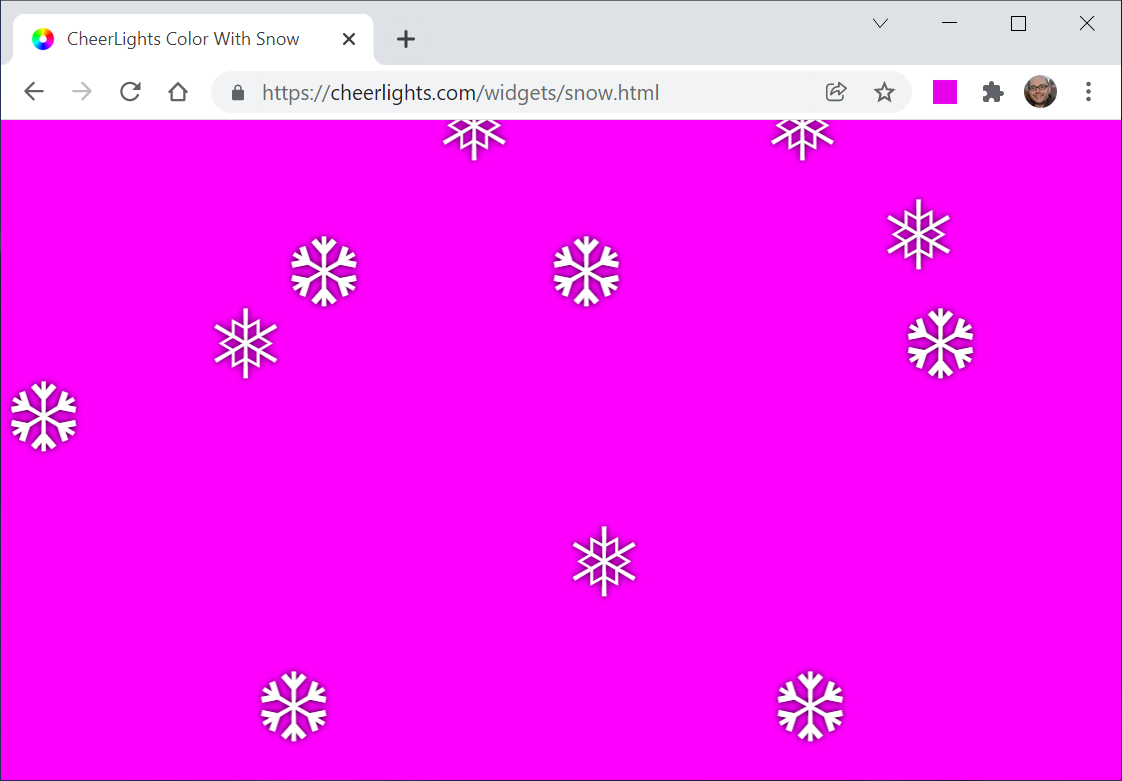
CheerLights Snow Widget

WordPress

Use the “Shortcode” block in the editor to embed these widgets on your WordPress site.

CheerLights Logo Widget iframe code

[iframe src="https://cheerlights.com/widgets/snow.html" width="100%" height="200"]

Steps

  • Add a new block
  • Search for “Shortcode”
  • Copy the iframe code and adjust the src, width, and height as needed
WordPress Shortcode Block for CheerLights Widgets
Rendered CheerLights Logo Widget
CheerLights Logo Widget on the CheerLights Blog

Embed CheerLights Widgets on a Home Assistant Dashboard

To embed CheerLights widgets on a Home Assistant dashboard, follow these steps:

  1. Open Home Assistant: Open your Home Assistant instance in a web browser.
  2. Navigate to the Dashboard: Go to the dashboard where you want to add the CheerLights widget.
  3. Edit the Dashboard: Click on the three dots menu in the top right corner and select “Edit Dashboard”.
  4. Add a New Card: Click the “Add Card” button to add a new card to your dashboard.
  5. Select the “Webpage” Card: Scroll down and select the “Webpage” card option. This allows you to embed a webpage.
  6. Enter the Widget URL: Enter the URL of the CheerLights widget you want to embed (e.g., https://widgets.cheerlights.com/snow.html).
  7. Save the Card: Click on the “Save” button to save the new card to your dashboard.
CheerLights Snow Widget on Home Assistant

CheerLights Widget Links

  • Solid Color Background: https://widgets.cheerlights.com/color.html
  • CheerLights Logo: https://widgets.cheerlights.com/logo.html
  • FearLights Logo: https://widgets.cheerlights.com/fearlights.html
  • Snow: https://widgets.cheerlights.com/snow.html
  • Lanterns: https://widgets.cheerlights.com/lanterns.html
  • Leaves: https://widgets.cheerlights.com/leaves.html
  • Aurora: https://widgets.cheerlights.com/aurora.html
  • Particle: https://widgets.cheerlights.com/particle.html
  • Digital Clock: https://widgets.cheerlights.com/clock.html

Let us know if you have any ideas for new widgets.

Share this:

  • Share on X (Opens in new window) X
  • Share on Facebook (Opens in new window) Facebook
  • Share on Tumblr (Opens in new window) Tumblr
  • Share on Reddit (Opens in new window) Reddit
  • More
  • Share on Pinterest (Opens in new window) Pinterest
  • Share on LinkedIn (Opens in new window) LinkedIn
  • Email a link to a friend (Opens in new window) Email
  • Print (Opens in new window) Print

Related


Discover more from CheerLights

Subscribe to get the latest posts sent to your email.
Apps Tags:github, javascript, widgets

Post navigation

Previous Post: WebGL CheerLights Shader: Generative Art That Follows the Color
Next Post: Official Python Package for the CheerLights API

Related Posts

An LED sign reading IN THE NEWS in CheerLights colors Updated CheerLights Code on GitHub News
Particle IoT Christmas Tree Now Supports CheerLights Projects
Embed a CheerLights Widget on Your Website News

Leave a Reply Cancel reply

Your email address will not be published. Required fields are marked *

This site uses Akismet to reduce spam. Learn how your comment data is processed.

Get new CheerLights posts by email

Tutorials, new builds, and announcements, one email per post.

  • CheerLights for Home Assistant: Your Lights Follow the Color Everyone Shares
  • CheerLights Terminal 0.2: Watch the Color Change Live in Your Terminal
  • CheerLights on an omg.lol Profile Card: A Display With No Hardware
  • CheerLights on Bluesky: Post a Color and Lights Around the World Change
  • Pimoroni CheerLights Examples: Six Boards, From Presto to Mighty FX

Copyright © 2026 CheerLights.

Powered by PressBook Grid Blogs theme

Loading Comments...