Skip to content
  • Live
  • Blog
  • Shop
  • Contact
  • About
  • Discord
  • GitHub
  • YouTube
  • Twitch
  • Instagram
CheerLights

CheerLights

We are all connected.

CheerLights on GitHub, Twitch, and Discord. We are all connected.
  • Learn
  • Build
  • Connect
  • Toggle search form

Analyzing CheerLights with MATLAB

Posted on October 5, 2015November 3, 2022 By Hans Scharler No Comments on Analyzing CheerLights with MATLAB

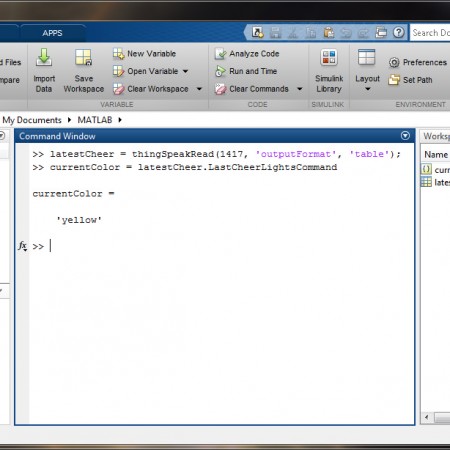
Adarsh Narasimhamurthy, an IoT data science specialist, used MATLAB to analyze the CheerLights project. CheerLights allows people to Tweet a color to CheerLights which causes other lights to change to that color.CheerLights Analysis MATLAB

Even with only two things being collected about the project, the color value and its time, Adarsh was able to determine the most popular CheerLights colors, how long the colors were switched on, and when is CheerLights the most popular during the year. He used MATLAB, which is also an analysis app built into ThingSpeak.

Share this:

  • Share on X (Opens in new window) X
  • Share on Facebook (Opens in new window) Facebook
  • Share on Tumblr (Opens in new window) Tumblr
  • Share on Reddit (Opens in new window) Reddit
  • More
  • Share on Pinterest (Opens in new window) Pinterest
  • Share on LinkedIn (Opens in new window) LinkedIn
  • Email a link to a friend (Opens in new window) Email
  • Print (Opens in new window) Print

Related


Discover more from CheerLights

Subscribe to get the latest posts sent to your email.

Projects Tags:Analysis, Data Science, MATLAB

Post navigation

Previous Post: CheerLights API Updates – We Added HEX Color Values!
Next Post: CheerLights NeoPixel Using a Spark Core

Related Posts

Greenlight A Vet Happened – How Did We Do? Projects
Use MATLAB to Read the Latest CheerLights Color from ThingSpeak FearLights
Read Latest CheerLights Color into MATLAB for Analysis Projects

Leave a Reply Cancel reply

Your email address will not be published. Required fields are marked *

This site uses Akismet to reduce spam. Learn how your comment data is processed.

Get new CheerLights posts by email

Tutorials, new builds, and announcements, one email per post.

  • CheerLights for Home Assistant: Your Lights Follow the Color Everyone Shares
  • CheerLights Terminal 0.2: Watch the Color Change Live in Your Terminal
  • CheerLights on an omg.lol Profile Card: A Display With No Hardware
  • CheerLights on Bluesky: Post a Color and Lights Around the World Change
  • Pimoroni CheerLights Examples: Six Boards, From Presto to Mighty FX

Copyright © 2026 CheerLights.

Powered by PressBook Grid Blogs theme

Loading Comments...